Short Form Video Editing: Workflow and Specs
You record a strong 40 minute conversation, then watch the clips underperform because each one starts mid thought, hides its captions under a platform menu, or tries to carry three ideas at once. That isn't a recording problem. It's an editing problem. Good short form video editing gives every clip one stand alone job, protects its opening, and makes the point readable on a muted phone, whether the next step you want is a view, a save, or a sales conversation.
Table of Contents
- Why Short Form Editing Now Shapes Attention
- Build a 1080 by 1920 Master First
- How to Edit a Short from Long Footage
- Protect the Opening and the Pace
- Caption for Accuracy Not Just Style
- Repurpose One Shoot into Distinct Clips
- Edit for Pipeline Then Hand Off the Cut
Why Short Form Editing Now Shapes Attention
DataReportal's Digital 2025 April Global Statshot reports that internet users worldwide watched short-form clips on TikTok, Instagram Reels, and YouTube Shorts for about 6 hours and 37 minutes per week, or roughly 57 minutes per day. The report also puts weekly viewing at about 87.5% of internet users. Short video is a regular part of how people encounter ideas and decide what to watch next.
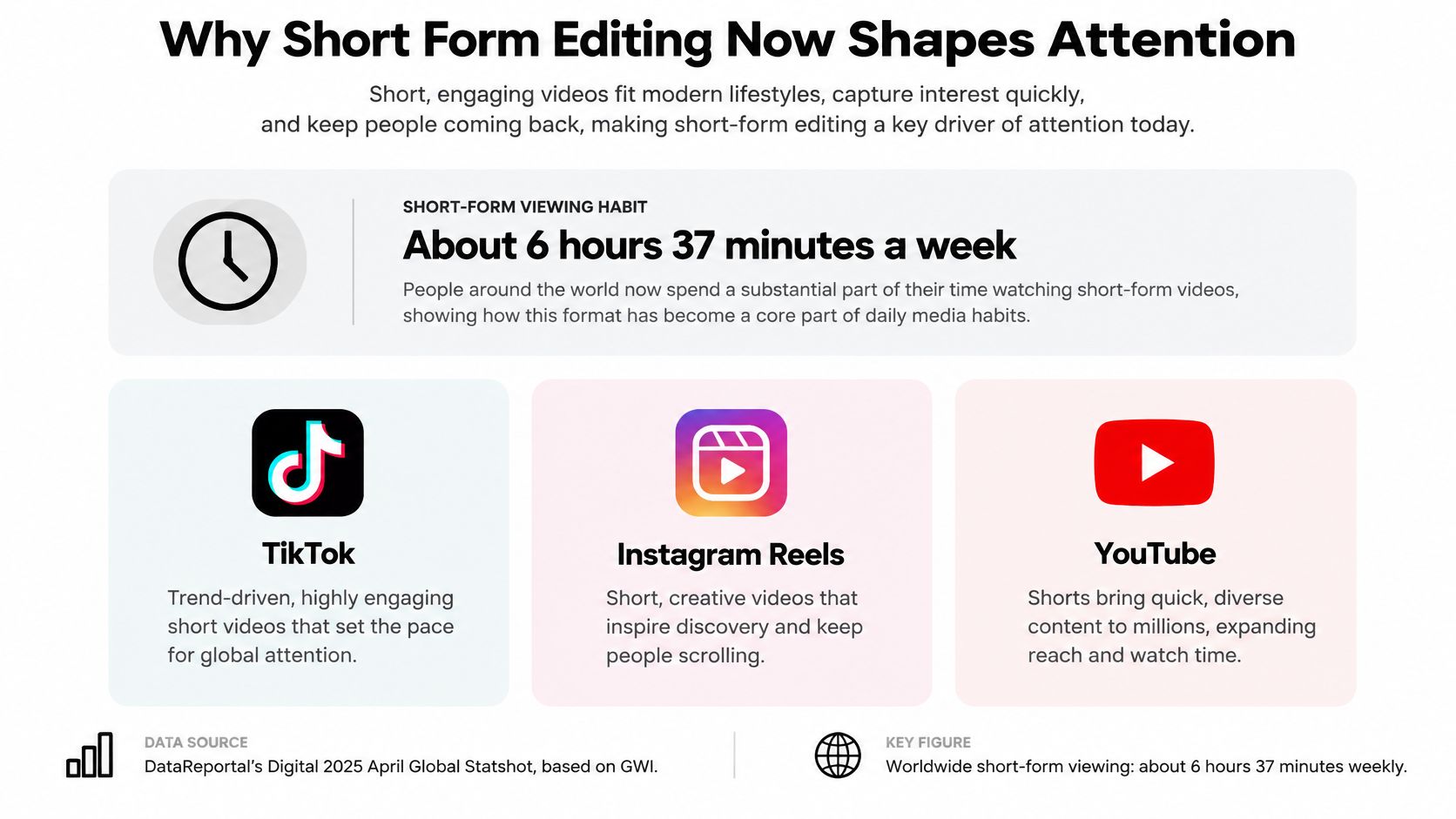
The competition for that attention is professional too. In HubSpot's 2024 survey of more than 500 video marketers, 83% said they used short-form video. A short works like a doorway: viewers may arrive without context, so the clip needs to make its point on its own.
Judge an edit by the job it does and the business step it earns, not by completion rate alone. A clip meant to introduce an idea may succeed by earning a profile visit; one meant to support a sale should make the next step clear. The right cut depends on that purpose, not on a viral template.
Build a 1080 by 1920 Master First
Set the export before you argue about hooks. A single platform neutral master saves you from re exporting the same clip three ways and degrading it each time. The settings below follow the Sprout Social social media video specs guide, which describes a vertical master built around H.264 video in an MP4 container and AAC audio.
| Setting | Target | Why it matters |
|---|---|---|
| Frame | 1080×1920, 9:16 | Matches vertical mobile feeds |
| Video codec | Progressive H.264 in MP4 | Widest compatibility across Shorts, Reels, and TikTok |
| Audio | AAC at 48 kHz | Standard speech clarity for social delivery |
| Bitrate at 24 to 30 fps | About 8 Mbps | Practical quality for 1080p without bloated files |
| Bitrate at 48 to 60 fps | About 12 Mbps | Extra frames need more data for motion |
| Frame rate | Constant, match the recording, typically 23 to 60 fps | Converting 24 fps to 30 or 60 fps duplicates frames |
| Fast start | MP4 metadata at the front of the file | Playback can start before the full download |
The Three Rows Editors Get Wrong
Bitrate isn't a quality contest. At 24 to 30 fps, about 8 Mbps is a practical target for this frame size. Going far above it mostly makes a bigger file that the platform will compress anyway, and that second compression can soften faces and turn caption edges muddy. At 48 to 60 fps, step up to about 12 Mbps. You have roughly doubled the number of images the encoder describes each second, so motion needs more data or it smears. A talking head with little movement can sit at the lower end. A walkthrough, a hand demo, or footage with a moving background needs the headroom.
Frame rate conversion creates problems you can see. If you recorded at 24 fps, export at 24. If you recorded at 30, export at 30. Converting 24 up to 30 or 60 forces your editor to invent a rhythm that wasn't captured, by duplicating some frames and spacing others unevenly. Viewers may not name the fault, but they feel it as a slight stutter on pans and gestures. Always choose constant frame rate, not variable, especially if the source came from a phone. Phones often record variable frame rate to save space, and that mismatch is a common reason audio drifts out of sync halfway through a clip. Transcode phone footage to constant frame rate before you cut, not after you've finished caption timing.
Fast start is a playback setting, not a quality setting. It moves the MP4 metadata, the index that tells a player how the file is organised, to the front of the file. Playback can then begin before the whole file arrives. On a fast office connection you won't notice it. On a train, in a lift, or on a throttled mobile plan, it's the difference between a clip that starts and a black rectangle that gets swiped past. Most editors label it "fast start", "web optimised", or "network optimised". Turn it on for the master and leave it on.
Framing the Master So Nothing Important Gets Cropped
Specs get your file accepted. Framing keeps it readable after each platform draws its own buttons over it. Keep eyes in the upper third and hands, products, and text inside a conservative central area. Interface bars sit along the bottom and right side of most feeds, and they differ by platform, so anything pushed to an edge is a hostage. If you repurpose the same file across services, edges are also where slight crops happen.
A practical test takes ten seconds. Export a still from your busiest frame, the one with a face, a caption, and a graphic, then view it at phone size. If you have to squint to read the smallest text, your viewer will not try. Enlarge the subject rather than shrinking the type. Vertical frames punish wide shots, because a person who filled a horizontal frame becomes a small figure with empty ceiling above them once cropped. Punch in until shoulders and face carry the frame, and let cutaways provide context instead of one distant master shot.
Practical rule: One neutral master, exported once. Make a platform derivative only when a service forces a different duration, file size, or codec.
Why H.264 and AAC Stay the Default
You will see HEVC offered in export menus, and many services accept it. It can produce smaller files at similar quality. The reason to standardise on H.264 with AAC is boring and decisive: compatibility. Older phones, browser players, scheduling tools, and ad managers handle it without complaint. Short form video editing involves enough variables already. Your codec shouldn't be one of them. Keep the master in the format everything accepts, and only reach for an alternative when a specific destination asks for it.
Name the file so the master is unmistakable, something like "episode12_clip03_master.mp4", and keep derivatives in a separate folder. When a caption error surfaces a week later, you want to fix the master and re export derivatives from it, not wonder which of four similar files was the source of truth. Lock this once, save it as a preset in Premiere Pro, DaVinci Resolve, Final Cut Pro, or CapCut, and you stop making technical decisions on every clip. Your attention goes back to the cut, which is where it earns its keep.
How to Edit a Short from Long Footage
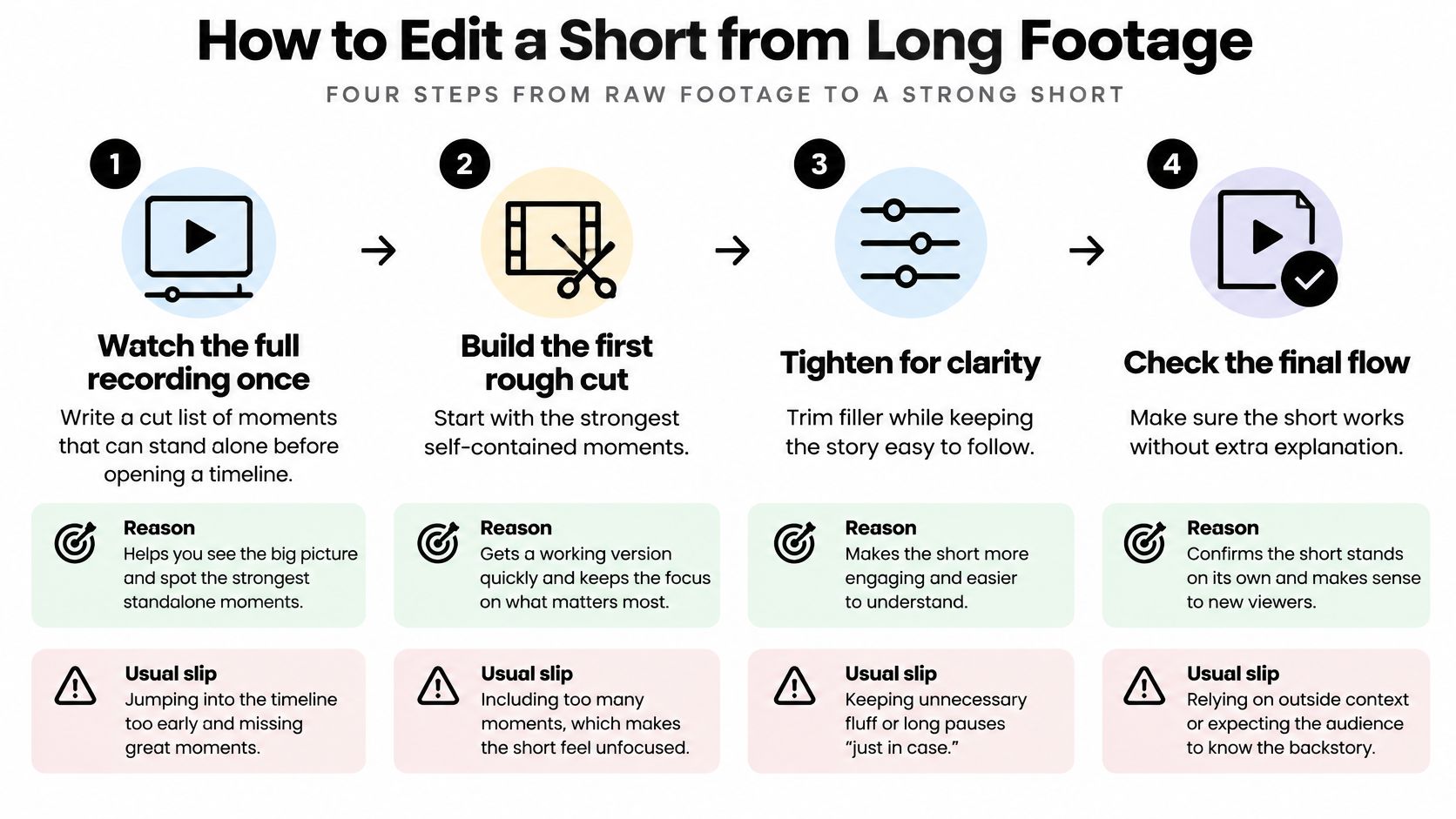
Say you have a founder interview that runs most of an hour. The instinct is to open a timeline, find a lively stretch, trim its ends, and call it a clip. That produces highlights that only make sense if you already heard the episode. Work in the order below instead. If you're still planning the shoot itself, read our notes on shooting for clips while recording before you press record, because a clean vertical angle and deliberate pauses make every step here faster.
Choose Before You Cut
Watch the whole recording once and write a cut list. Note timecodes for moments that could stand alone, a clear claim, a short story with an ending, a disagreement, a usable demonstration. You're selecting, not editing. The usual slip is opening the timeline first, then keeping whatever you happen to trim well. A cut list made before you touch the timeline means the clips were chosen on merit. We work this way ourselves, making a cut list before an editor goes near the timeline.
Give each clip one idea and write it as a single sentence. "Founders should price the second product before launching the first" is an idea. "Pricing stuff" isn't. If you can't write the sentence, the moment is probably two clips, or a good passage that belongs only in the long episode. This sentence becomes your test for every later decision. A line that doesn't serve it goes, however charming it sounds.
Move the line that states the point to the front. In a long conversation, speakers warm up. They set context, credit someone, then arrive at the sharp version. Find that sharp version and open with it. Then keep only the setup a stranger needs, which is usually less than you think. Delete greetings, episode references like "as we said earlier", and questions that the answer already implies. If the guest's answer repeats the question in their first words, you can often cut the host entirely and gain seconds.
Build the Picture After the Words Work
Reframe for vertical and keep eyes and hands in the central safe area. Don't accept an automatic centre crop on a two person shot, it'll slice both faces. Pan the crop to whoever is speaking, or use a stacked layout if the exchange matters. On multi cam recordings, cut between angles inside the clip only when the second camera shows something new, a reaction that changes the meaning, a gesture, a product in hand. Switching angles just to feel dynamic makes viewers work to reorient for no payoff.
Change the picture when the information changes. When the speaker moves from claim to evidence, that's your moment for a punch in, a B roll insert, a screen recording, or a simple graphic. When they're still making the same point, hold. Cutting on every phrase trains viewers to watch the editing instead of the idea, and it makes captions harder to follow. Ask of every visual change, what does the viewer now know that they didn't a second ago? If the answer is nothing, remove it.
A rough cut that feels slightly too tight is usually close to right. Shorts rarely fail because an editor removed too much throat clearing.
Add captions after picture lock, not during the rough cut. Caption timing depends on final pauses and cuts. If you caption early, then tighten the edit, you'll redo the timing anyway and introduce errors while you're at it. Lock the sequence, confirm the clip makes sense played without sound from the first frame, then caption it as its own pass.
Export the master, then derive only what a platform requires. Use your saved preset. Watch the exported file on a phone, not inside your editor, because editors hide problems. You're checking for caption collisions with interface areas, audio that peaks on small speakers, and an opening frame that reads clearly as a still image. That first frame is what sits in grids and search results, so pick one where the face is expressive and no caption is half rendered.
What This Looks Like on One Interview
From that single conversation you might pull a clip where the guest disputes a common pricing belief, another where they walk through the exact spreadsheet they use, and a third where they tell a short failure story that ends on a lesson. Each opens on its strongest line. None of them mentions the others. A viewer who finds the spreadsheet clip first gets a complete, useful minute, not a trailer that withholds the answer to force a click.
Notice what you didn't make: a montage of the hour's loudest moments stitched together. Highlight reels feel energetic in the edit suite and confusing in a feed, because every jump asks the viewer to rebuild context. One idea, fully landed, beats five fragments. If a moment needs three minutes of back story before it makes sense, respect that. Leave it in the long cut, where it will do its job for the audience that chose depth.
Protect the Opening and the Pace
A 2025 ACM study of TikTok ad data from an e-commerce company reported an average ad length of 56.7 seconds, with a standard deviation of 14.5 seconds, and an average of 161,898 impressions, with a standard deviation of 152,112. Its clearest lesson for editors is where people left: most customers left within the first quarter of the video, and the average drop off from an impression to starting the video was 6.2%. Attrition then continued as the creative played.
So put the claim in the first two seconds, spoken and on screen, before logos, intros, or "hey guys". If your speaker needs a breath of context, compress it into the same breath as the claim. "We cut our refund rate by changing one email" carries its own context. "So today I want to talk about something we've been working on" carries none.
Then earn the second quarter. Viewers who pass the opening are owed a demonstration, a reason, or a story turn, quickly. Keep enough substance that staying feels rewarded. Don't front load a bold claim and then pad.
The study also reported no significant relationship between user churn and cost per mille, cost per click, or click-through rate, and found viewing behaviour differed across age groups while male and female viewers behaved similarly overall. Read that as a warning against worshipping retention alone. There's no single ideal runtime hiding in those numbers. A short proof and a longer walkthrough can both work, provided the first quarter earns the rest and you judge the clip by the job you gave it.
Caption for Accuracy Not Just Style
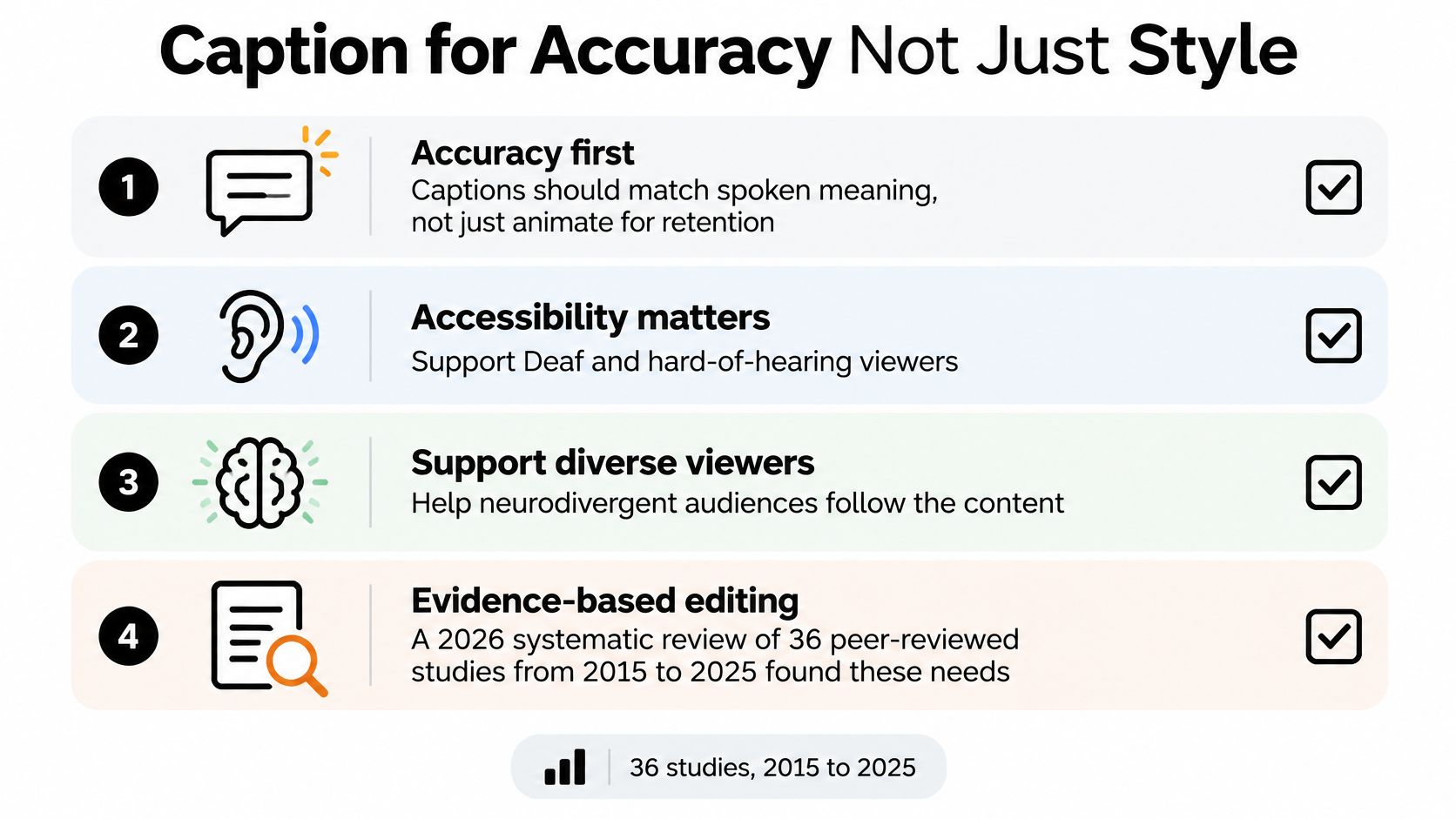
Most caption advice treats text as a retention graphic, huge bouncing words designed to keep eyes moving. That misses the viewers who can't treat captions as decoration. A 2026 systematic review of 36 peer-reviewed studies published between 2015 and 2025 found that Deaf and hard-of-hearing, neurodivergent, and multilingual audiences depend on captions, while creators still lack adequate tools for viewer feedback, error reporting, and adjustable display settings. For those viewers, a wrong name or a mangled technical term isn't a style flaw. It's missing information.
Treat auto captions as a draft, never a finish. Automated transcription struggles exactly where your content is most valuable, with accents, fast delivery, code switching between languages, proper names, and the jargon your audience came to learn. If your speaker says a product name, a drug name, a legal term, or a place name, assume the first pass got it wrong until you've checked. To see how a dedicated workflow handles this, our page on video captioning services walks through the correction side in more detail.
A Six Step Caption QA You Can Repeat
Transcribe, then correct against the recording. Play the audio while reading. Fix names, numbers, and terms first, because those errors change meaning. Build a small glossary for recurring guests and products so you correct the same word the same way every week.
Split lines at natural speech units. Break where the speaker breathes or where a clause ends, and punctuate so each line can be read in one glance. A caption that ends mid phrase forces the viewer to hold unfinished meaning while the picture moves on. Keep lines short enough for a phone screen, and never let a new sentence start at the bottom of a block that is about to disappear.
Keep two layers separate in your head. The verbatim track is for access. It should preserve speaker changes and meaningful sound cues, a laugh that signals a joke, a door slam that a speaker reacts to. Emphasis text is different. It's the two or three keywords you enlarge or colour to guide a skimming eye. Confusing the two leads to captions that shout every word and communicate none. If everything is emphasised, nothing is.
Place text in the central safe area. Bottom aligned captions disappear under progress bars, captions buttons, and comment prompts. Text near the edges gets cropped when the same file is reposted elsewhere. Sit your captions above the lower interface zone, keep them clear of the speaker's mouth, and add a subtle background or shadow so white text survives a bright shirt or a window behind the subject.
Test on a phone with the sound off. Watch once in a noisy room, and once as if the language isn't your first. You're checking reading speed, not spelling now. If you fall behind on any line, split it or slow the edit. Fast speakers are the usual culprit, and the honest fix is sometimes cutting a clause from the audio rather than cramming text.
Review translations separately. A machine translated caption file needs its own proofread by someone who knows the subject, because literal translations of idioms and technical terms mislead politely. Check that the translated line still fits the timing, since many languages need more words than English to say the same thing.
Captions are an information layer, not a sticker. Edit them with the same care you give the spoken line they carry.
Where Readers Usually Get Confused
Burned in captions are printed into the video image. They look identical everywhere and can't be turned off, which makes them reliable for styling but inflexible for a viewer who needs larger text. A caption track, such as an uploaded subtitle file, can be resized, translated, and read by assistive tools, but each platform renders it differently. When a platform supports a proper track, prefer it for accessibility, and keep any burned in text limited to short emphasis. Don't run both at once saying the same thing in two places on screen.
Sync matters as much as spelling. Let a caption appear when its thought begins, and change the picture in step with a new thought, so reading and watching reinforce each other instead of competing. When a caption lags half a second behind the voice, hearing viewers feel a low level friction they can't explain, and viewers relying on text lose the connection between a word and the gesture that went with it.
Short form video editing gets judged on mute more than on any other condition. If your clip only works at full volume in a quiet room, it doesn't work yet. Accurate, well placed captions are how the idea survives the bus, the office, and the second language.
Repurpose One Shoot into Distinct Clips
One recording can feed several clips, but only if you assign each clip a job before you cut it. Awareness clips carry one stand alone claim with light context. Consideration clips show how something works, offer proof, or admit a limit, and they're allowed to run longer. Handoff clips exist to move a viewer to an episode, a page, or a conversation.
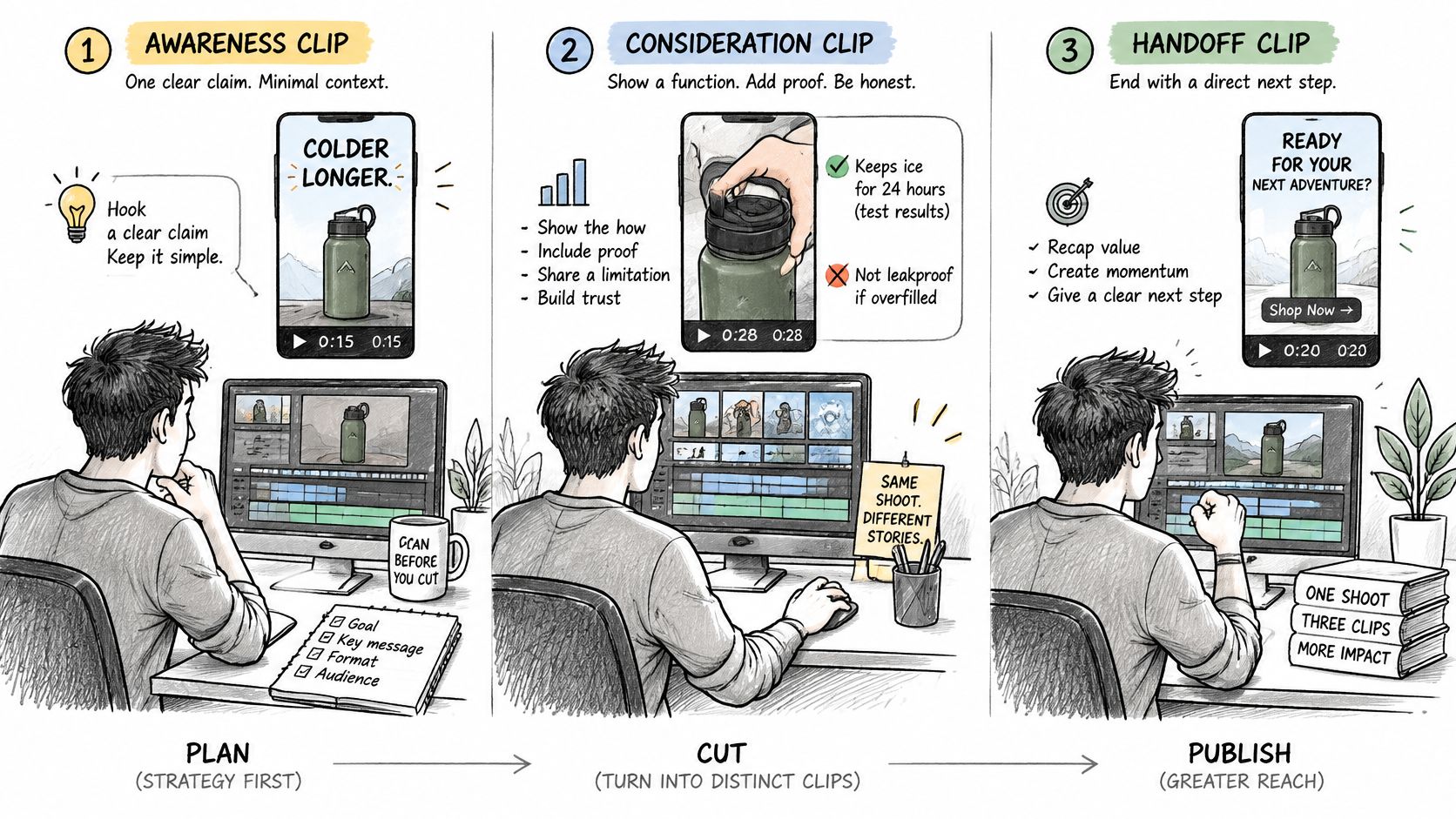
Say a founder records a podcast episode. The episode stays long form. Clip one is a short contrarian line, cut for awareness. Clip two is a slower how it works demonstration for consideration. Clip three ends by pointing back to the full episode for the complete argument. Three files, three different opening lines, one afternoon of recording.
A product walkthrough splits differently. The same footage becomes a polished listing or brand cut, a short context teaser, and a just shipped reel announcing what's new. Each version needs its own first line, because a viewer meeting the teaser has not seen the walkthrough and shouldn't need to.
For a weekly show, the efficient rhythm is to flag clip moments while the long cut is still open on the timeline, have the host approve or swap those moments and say how many clips they want, then cut the vertical versions from the approved list. That's the order we use, since the editor who cut the episode already knows where the strong moments are.
The example below shows how a single recording session can be planned as several distinct assets rather than one cropped copy.
Here's the rule that separates repurposing from resizing: one idea, one hook, one next step per file. Changing the aspect ratio of a full episode and posting it vertically isn't repurposing, it's a crop. Retune the details per destination instead. Rephrase the on screen line for a professional feed such as LinkedIn, adjust hook speed for Shorts versus Reels, and keep your master as the source for every version. Label each planned clip with its job in your file name or project notes before editing, so you can judge it later against the right standard.
Edit for Pipeline Then Hand Off the Cut
Decide what success means for a clip before you measure it, using its job as the standard.
| Clip job | What to keep | Success measure |
|---|---|---|
| Awareness | A standalone claim in the first seconds, light context | Views, reach, profile visits |
| Consideration | Function, proof, and an honest limit, even if the clip runs longer | Saves, replies, watch past the first quarter |
| Conversion | A clear next step to an episode, page, or conversation | Qualified clicks and lead quality |
A global 2026 study reported in Kapwing's short-form video statistics roundup found that 38% of consumers said short form video ads could prompt a click or purchase, with 49% in Latin America and 47% in Asia-Pacific compared with 27% in North America and 29% in Europe/Middle East/Africa. Separate research on Gen Z purchase behaviour in the same roundup found utilitarian value, whether content helps viewers understand a product's function, was the strongest factor influencing purchase intention, with electronic word of mouth also central. That's why a slower clip sometimes beats a faster one. If the missing context is what makes a lead qualified, sacrificing some completion rate to show the function, the proof, or the limitation is the right trade.
Measure saves, replies, qualified clicks, assisted conversions, and lead quality beside views. A consideration clip that loses casual viewers and keeps the right ones has done its job. Protecting that handoff also means clean file delivery, so read our guide to a file handoff that does not break if clips pass between you, an editor, and whoever publishes them.
Be honest about the tool, too. If you already have an editor you trust and only need occasional clips, a standalone tool may suit you better. If you post several clips a day, an automated clipper is cheaper per clip. Where a bundled approach earns its place is when you record a show or a shoot and want the long cut and the shorts to share one watch. Our services include Short-Form Video Editing and Podcast Editing & Repurposing among others. You upload raw files once, we cut the full episode first while flagging clip candidates, and the first cut arrives within 48 hours with a shortlist of suggested clip moments for you to approve.
If you'd rather record once and hand the rest over, Pixel Samy Studios will cut your long episode and the vertical clips from the same watch, so every short opens on a real moment and points somewhere specific. Upload your next recording, approve the clip shortlist, and let a human editor handle the reframing, captions, and exports while you stay focused on the conversation.